



For a long time, the implicit message from the AI tooling industry has been: if you want to build agents, learn Python. Frameworks, tutorials, and conference talks all pointed in the same direction. PHP developers who wanted to experiment with autonomous systems had two options: switch stacks or stitch something together from raw API calls and hope it holds.
IPC NEWSLETTER
All news about PHP and web development
That’s the gap Neuron AI was built to close. And now, with Neuron v3 introducing a workflow-first architecture, I wanted to prove the point in the most direct way possible: build something that the ecosystem assumes can only be done in another language. That’s how Maestro was born—the first coding agent built entirely in PHP.
Fig. 1: Maestro CLI agent
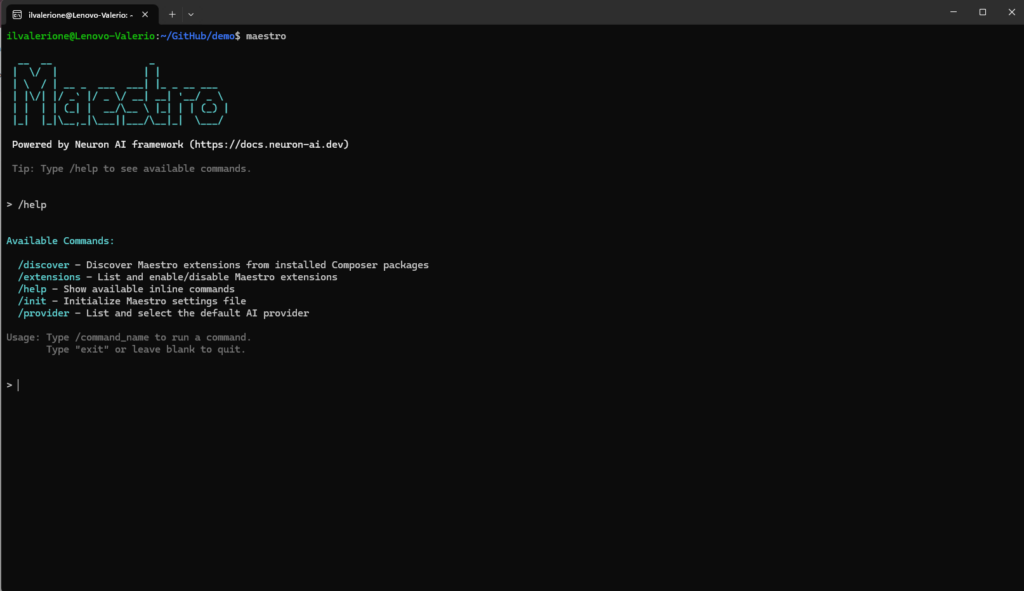
Fig. 2: Maestro help command
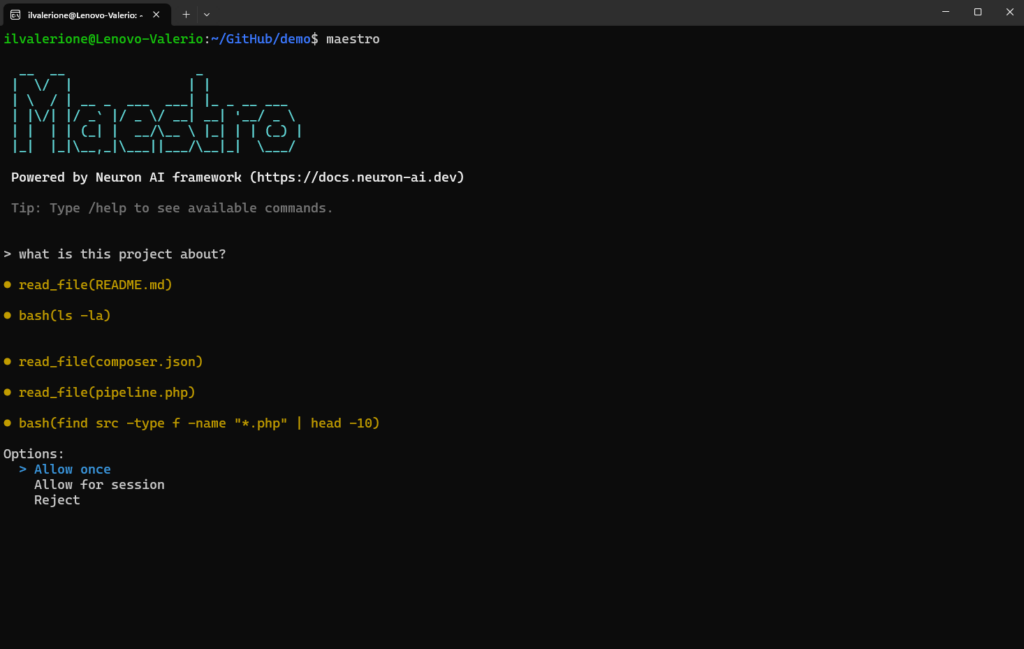
Fig. 3: Maestro too approval
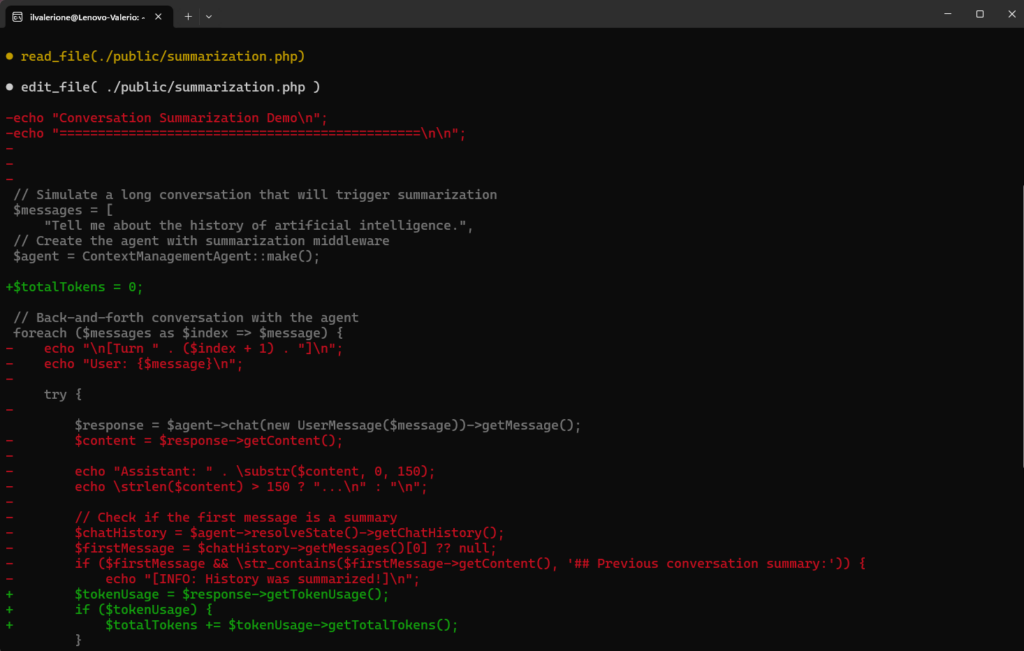
Fig. 4: Maestro file edit
What is Neuron?
Neuron is a PHP framework for developing agentic applications. By handling the heavy lifting of orchestration, data loading, and debugging, Neuron clears the path for you to focus on the creative soul of your project. From the first line of code to a fully orchestrated multi-agent system, you have the freedom to build AI entities that think and act exactly how you envision them.
Neuron provides tools for the entire agentic application development lifecycle, from LLM interfaces, to data loading, to multi-agent orchestration, to monitoring and debugging. In addition, it provides tutorials and other educational content to help you get started using AI Agents in your projects.

Neuron’s architecture prioritizes the fundamentals that experienced engineers expect from production-grade software.
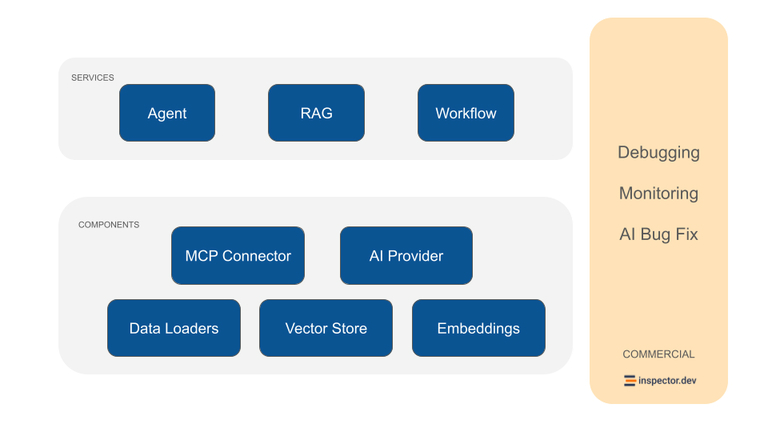
Fig. 5: Neuron architecture
Strong Typing System
The framework leverages PHP 8’s mature type system throughout its codebase, with every method signature, property, and return value explicitly typed. The entire framework passes PHPStan 100% type coverage.
IDE Friendly
The strongly-typed approach means your IDE can provide accurate autocompletion for agent configurations, tool parameters, and response handling. Method signatures include detailed PHPDoc annotations that provide context beyond type hints when needed, explaining parameter expectations and return value structures.
This foundation allows faster debugging cycles, easy integration patterns with frameworks like Symfony or Laravel. We assume you’re building systems that need to be maintained, extended, and understood by teams rather than individual experiments.
Carefully Crafted Architecture
Neuron uses standard PSR interfaces where appropriate and maintains minimal external dependencies, avoiding conflicts across different PHP environments and framework versions. This design choice prevents the common problem where introducing a new library increases the risks of getting stuck due to incompatible versions of dependencies.
For teams working across multiple projects, this approach provides consistency. The same Neuron patterns and implementations work regardless of whether you’re building a new microservice in pure PHP, extending a WordPress site, or adding features to an enterprise Symfony and Laravel application. Knowledge transfer between projects becomes seamless, and developers can leverage their Neuron expertise across their entire PHP portfolio.
Community Driven
These design principles create a unified ecosystem for AI development across all PHP communities. Rather than fragmenting innovation across framework-specific solutions, Neuron enables collaboration between Laravel developers, Symfony contributors, WordPress plugin authors, and custom framework maintainers. When improvements are made to Neuron’s core capabilities, they benefit every PHP developer.
Neuron’s universal approach attracts contributors from across the PHP ecosystem, leading to more robust implementations, broader testing across different environments, and faster development of new features. This collaborative approach also means better support for newcomers, as experienced developers from various PHP backgrounds can provide guidance and assistance.
What a Coding Agent Actually Does
Before looking at the code, it’s worth being precise about what a coding agent is, because the term gets stretched a lot. Maestro isn’t a code completion tool. It’s an autonomous agent that runs in your terminal, reads your project files, reasons about your codebase, and proposes changes. It operates in a loop: you give it a task, it decides which tools to call (read a file, search for patterns, write changes), executes them in sequence, and reports back. The key word is proposes—before touching your filesystem, it asks for your approval.
That last part is not simply a nice to have feature. Any agent with write access to your codebase that doesn’t pause for confirmation is a liability. The tool approval mechanism in Maestro is one of the things I’m most satisfied with, and it maps directly to a feature that Neuron v3 introduced as a first-class concept: human-in-the-loop workflow interruption.
Coding Agent Architecture
The repository structure reflects a clear separation of concerns. The entry point is bin/maestro, which bootstraps a Symfony Console command. From there, everything fans out cleanly:
bin/maestro (Symfony Console Application)
    └─ MaestroCommand (main command)
        ├─ Settings (.maestro/settings.json)
        ├─ EventBus\EventDispatcher (PSR-14 compatible)
        ├─ CliOutputListener (subscribes to events)
        └─ AgentOrchestrator (drives chat loop)
            └─ CodingAgent (extends NeuronAI Agent)
                ├─ ProviderFactory → AIProvider
                ├─ FileSystemToolkit (read-only FS tools)
                └─ McpConnector[] (optional MCP servers)
The CodingAgent class extends Neuron’s Agent base and adds a tool approval middleware. This is the piece that intercepts execution before any filesystem write, fires a ToolApprovalRequestedEvent, and waits. The AgentOrchestrator catches the workflow interrupt thrown by the middleware, presents the approval prompt to the user via the CLI, and resumes or aborts execution based on the response.
This pattern—interrupt, present, resume—would have been painful to implement without a workflow-oriented framework underneath. With Neuron v3, it’s the natural way to build it.
Inline Commands
The Maestro CLI implements an elegant inline command system that allows users to execute special commands directly from the interactive chat interface without exiting the main loop. You can type “slash commands” (e.g., /help, /init) that are handled by a plugin-like registry system.
The architecture relies on three core components: a clean InlineCommand interface that defines the contract for all commands, a central registry that manages command registration and lookup while preventing duplicate names, and an adapter class that enables wrapping existing Symfony Console commands as inline commands without rewriting their logic.
What makes this system particularly powerful is its extensibility through the adapter pattern. Rather than duplicating code between standalone console commands and their inline counterparts, the InlineCommandAdapter class can wrap any existing Symfony command, automatically extracting the command name and description and handling the conversion between inline argument strings and Symfony’s input format. This design choice means commands like /init can reuse the full logic of the InitCommand class, including its interactive prompts and validation, while presenting a simplified interface within the chat session.
The registry pattern naturally supports command discovery through the built-in /help command, which dynamically lists all registered commands with their descriptions, helping the user understand the available CLI capabilities. Adding a new inline command is as simple as implementing the interface and registering it in the constructor.
class MaestroCommand extends Command
{
    protected InlineCommandRegistry $registry;

    public function __construct(?string $name = null, ?callable $code = null)
    {
        parent::__construct($name, $code);

        // Initialize inline commands
        $this->registry = new InlineCommandRegistry();
        $this->registry->register(new InitInlineCommand());
        $this->registry->register(new HelpInlineCommand($this->registry));
    }

    ...
}
Getting Started
Install as a global composer tool:
composer global require neuron-core/maestro
Make sure Composer’s global bin directory is in your system
PATH:
export PATH="$HOME/.config/composer/vendor/bin:$PATH"
Configuration lives in .maestro/settings.json at the root of your project. Run the init command to start the interactive guide:
cd /pth/to-project

maestro init
At minimum, you need a provider and an API key:
{
	"default": "anthropic",
    "providers": {
        "anthropic": {
			"api_key": "sk-ant-your-key-here",
			"model": "claude-sonnet-4-20250514"
		}
    }
}
Maestro supports Anthropic, OpenAI, Gemini, Cohere, Mistral, Ollama, Grok, and Deepseek out of the box—all routed through a ProviderFactory that maps the default field to the corresponding Neuron AI provider instance. If you want to run everything locally without sending data to an external API, point it at an Ollama instance:
{
	"default": "ollama",
    "provider": {
        "ollama": {
			"base_url": "http://localhost:11434",
			"model": "llama2"
		}
    }
}
Giving the Agent Context About Your Project
By default Maestro tries to load the Agents.md file from the project directory. Alternatively, you can point Maestro at a different markdown file in your repo that describes your project’s architecture, coding standards, and any conventions the agent should follow. You can configure the context_file property in the settings file with the path to the file.
{
	"default": "ollama",
    "providers": { ... },
    "context_file": "CLAUDE.md"
}
The agent appends the content of that file to its system instructions before the conversation starts. This is a simple mechanism, but it makes a real difference in practice. An agent that knows your project uses PSR-12, that controllers shouldn’t contain business logic, and that you prefer dependency injection over service locators will produce more relevant suggestions from the first message.
IPC NEWSLETTER
All news about PHP and web development
The Tool Approval Flow
When the agent wants to modify a file, execution doesn’t just proceed. It stops, and you see something like this:
The agent wants to write changes to src/Service/UserService.php

[1] Allow once
[2] Allow for session
[3] Always allow
[4] Deny
“Allow for session” is the option I use most in practice. It means I approve write operations on a given file type or tool once per session, without having to confirm each individual change. “Always allow” persists the preference to .maestro/settings.json under an allowed_tools key, so future sessions skip the prompt entirely for that operation.
This granularity matters. You probably want to approve the first few changes in an unfamiliar session to build confidence, then let the agent run more freely once it’s demonstrated it understands what you’re asking.
This is one of the most interesting features provided by the Neuron AI framework, thanks to the Workflow architecture. Neuron Workflow supports execution interruption, so you can create a fully customizable human-in-the-loop experience. The agent will stop its execution, waiting to be resumed exactly from where it left off. Learn more on the official documentation.
The Event System
Maestro uses a lightweight PSR-14-compatible event dispatcher with three events: AgentThinkingEvent (fires before each AI call), AgentResponseEvent (fires when the model returns), and ToolApprovalRequestedEvent (fires when a tool needs approval). The CliOutputListener subscribes to these and handles all terminal rendering.
This design keeps the agent logic clean. The CodingAgent doesn’t know anything about how output is displayed—it just fires events. If you wanted to build a web interface on top of the same agent, you’d swap out the listener and leave everything else untouched.
MCP Integration
For teams that want to extend the agent’s capabilities beyond filesystem operations, Maestro supports Model Context Protocol servers in the configuration:
{
    "mcp_servers": {
        "inspector": {
            "url": "https://app.inspector.dev/mcp?app=<APP_ID>",
            "args": "INSPECTOR_API_TOKEN"
        }
    }
}
Each entry in mcp_servers spins up a subprocess and connects it to the agent as an additional tool source. The agent can then check the application monitoring data on Inspector , search the web, or access any MCP-compatible service alongside its native filesystem tools.
What This Demonstrates
Maestro is a working proof that the patterns the rest of the industry has been building in Python and TypeScript are fully expressible in PHP now. The workflow architecture that makes tool approval possible, the event-driven rendering pipeline, the multi-provider abstraction, the MCP integration, none of this required stepping outside the PHP ecosystem.
The framework doing the heavy lifting here is Neuron AI, specifically the workflow architecture introduced in v3. Without the ability to interrupt execution mid-agent-loop and resume it based on user input, the tool approval system would require significantly more scaffolding to build and maintain.
I’m really looking forward to hearing your feedback, experiments, and ideas on how to develop this new chapter of AI in the PHP space.
If you want to explore the code, the repository is at github.com/neuron-core/maestro. The Neuron AI documentation lives at docs.neuron-ai.dev. Questions, issues, and pull requests are open.
Author
🔍 Frequently Asked Questions (FAQ)
1. What is Maestro?
Maestro is the first coding agent built entirely in PHP. It is built on the Neuron AI framework and shows that autonomous AI coding agents can be developed inside the PHP ecosystem.
2. What is Neuron AI?
Neuron AI is a PHP framework for developing agentic applications. It provides tools for LLM interfaces, data loading, multi-agent orchestration, monitoring, debugging, and the broader AI agent development lifecycle.
3. What does Maestro do as a coding agent?
Maestro runs in the terminal, reads project files, reasons about the codebase, and proposes changes. It works in a loop: the developer gives it a task, it chooses tools, executes them in sequence, and reports back.
4. How does Maestro protect a codebase before making changes?
Maestro uses a tool approval flow before modifying files. When the agent wants to write changes, execution stops and the developer can allow the change once, allow it for the session, always allow it, or deny it.
5. Which AI providers does Maestro support?
Maestro supports Anthropic, OpenAI, Gemini, Cohere, Mistral, Ollama, Grok, and Deepseek out of the box. These providers are routed through a ProviderFactory, which maps the configured default provider to the corresponding Neuron AI provider instance.
6. How can developers give Maestro context about a project?
Maestro loads project context from an Agents.md file by default. Developers can also configure another markdown file, such as CLAUDE.md, to describe the project architecture, coding standards, and conventions the agent should follow.